
Need a custom media, CRM, or integration add-on? I build upgrade-safe systems for Raspberry Pi, WordPress, WHMCS, and enterprise stacks. Get a quote →
A client’s living-room setup had a familiar problem: a Raspberry Pi running Kodi for the local library, Shahid on the TV app, Netflix on the phone, Yango Play on the browser. Four remotes, four search boxes, zero continuity. “Continue watching” lived in four separate places.
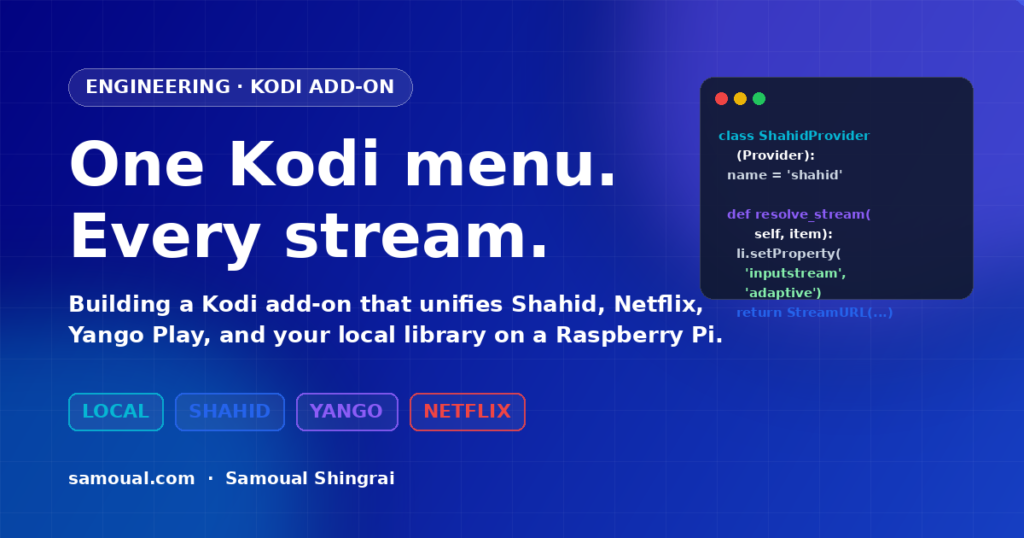
I built StreamingHub (plugin.video.streaminghub) to collapse those into one Kodi menu — search once, browse one library, resume where you left off. Here’s how it was planned, what the stack looks like, where the hard problem is, and a slice of the real code.
The plan
I treat Kodi add-ons the same way I treat enterprise integrations: isolate every provider behind an interface, keep the core engine strict, and let the UI stay dumb.
Scope, in one picture:
┌───────────────────────── Kodi (xbmcgui / xbmcplugin) ────────────────────┐
│                                                                          │
│   Home ─ Search ─ Favourites ─ Continue Watching ─ Profiles / Settings   │
│                           │                                              │
│                           ▼                                              │
│                 ┌─────────────────────┐                                  │
│                 │  Router + Dispatch  │  (addon.py)                      │
│                 └─────────────────────┘                                  │
│                           │                                              │
│      ┌──────────┬─────────┼─────────┬──────────┐                         │
│      ▼          ▼         ▼         ▼          ▼                         │
│   Local      Shahid     Yango     Netflix    (future)                    │
│  (JSON-RPC) (REST+ISA)  (REST)   (browser     providers                  │
│                                   fallback)                              │
│                           │                                              │
│                           ▼                                              │
│              .strm / .nfo library export (optional)                      │
└──────────────────────────────────────────────────────────────────────────┘
Non-negotiables I set on day one:
- Python 3 only (Kodi 19+).
- Every provider implements the same interface —
search,details,episodes,resolve_stream,report_progress. Adding a new service touches one file. - Legitimate playback only: InputStream Adaptive + Widevine for DRM, nothing patched, nothing scraped around a paywall.
- No credentials, tokens, or cookies in logs. Ever.
.strm/.nfoexport so Kodi’s own scraper, trailers, and skins stay happy.- Browser fallback when DRM can’t be solved on the device.
The stack
| Layer | Choice | Why |
|---|---|---|
| Language | Python 3.11 | Kodi 20 native |
| Kodi APIs | xbmc, xbmcgui, xbmcplugin, xbmcaddon, JSON-RPC | the only sanctioned route |
| HTTP | requests with session reuse + retry | friendly to flaky Pi Wi-Fi |
| DRM playback | InputStream Adaptive + Widevine CDM | official for DASH/HLS |
| Local library | Kodi JSON-RPC (VideoLibrary.GetMovies, GetTVShows) | no DB coupling, upgrade-safe |
| Storage | Kodi Settings API + a tiny SQLite in special://profile/addon_data/ | profiles, favourites, resume points |
| Build | zip + addon.xml manifest, Kodi repo structure | installable from a .zip or private repo |
| Hardware | Raspberry Pi 4, 4 GB, LibreELEC | the client’s actual setup |
The hard part: Widevine on ARM
Everyone assumes “I’ll just hit the Netflix API.” You won’t. Netflix, Shahid Premium, and Yango Play’s film tier all deliver DRM-protected streams. Playback requires:
- InputStream Adaptive parsing the DASH/HLS manifest.
- Widevine CDM (
libwidevinecdm.so) decrypting the content, licensed by Google. - A per-session license request to the service’s own license server, authenticated by that user’s own session.
On a Raspberry Pi 4 running LibreELEC, Widevine runs only at L3 (software, limited to 480p/720p). Some services refuse to serve HD to L3 clients — that’s a policy decision I can’t bypass, and I won’t. Where the service enforces L1 (hardware-backed) that the Pi doesn’t support, StreamingHub falls back to launching the service’s web player in a Chromium kiosk window and hands control back to Kodi when it closes.
The honest matrix I ship with the add-on:
| Provider | On-device playback | Fallback |
|---|---|---|
| Local library | ✅ full | — |
| Yango Play (free tier) | ✅ via ISA (clear HLS) | — |
| Shahid (ad-supported) | ✅ via ISA + Widevine L3, SD/HD depending on title | — |
| Shahid VIP (DRM-strict) | ⚠️ some titles L1-only | browser kiosk |
| Netflix | ❌ L1-required | browser kiosk |
Nobody writes this part in their tutorial, which is why Kodi forums are full of “it works for me” posts that never do.
Shape of the code
The whole add-on is small — ~1,800 lines of Python. The three pieces that matter are the router, the provider interface, and a concrete provider. Previews below; the full source stays with the client.
addon.xml (manifest)
<?xml version="1.0" encoding="UTF-8" standalone="yes"?>
<addon id="plugin.video.streaminghub"
       name="StreamingHub"
       version="0.6.1"
       provider-name="Samoual Shingrai">
  <requires>
    <import addon="xbmc.python" version="3.0.1"/>
    <import addon="script.module.requests" version="2.31.0"/>
    <import addon="inputstream.adaptive" version="20.3.5"/>
  </requires>
  <extension point="xbmc.python.pluginsource" library="addon.py">
    <provides>video</provides>
  </extension>
  <extension point="xbmc.addon.metadata">
    <summary lang="en_GB">One library across Shahid, Yango Play, Netflix (browser), and your local media</summary>
    <description lang="en_GB">Search once, browse once, resume once. Legitimate playback only.</description>
    <platform>all</platform>
    <license>MIT</license>
  </extension>
</addon>
Provider interface
Every service implements the same five methods. Adding a new one is a new file plus a line in the registry.
# providers/base.py
from __future__ import annotations
from dataclasses import dataclass
from typing import Iterable, Optional

@dataclass
class MediaItem:
    provider: str
    external_id: str
    title: str
    kind: str              # "movie" | "episode" | "series"
    year: Optional[int]
    duration_s: Optional[int]
    poster: Optional[str]
    fanart: Optional[str]
    plot: Optional[str]

@dataclass
class StreamURL:
    url: str
    manifest_type: str     # "hls" | "mpd" | "direct"
    drm: Optional[dict]    # {"scheme": "widevine", "license_url": "...", "headers": {...}}
    headers: Optional[dict]

class Provider:
    """Each provider is isolated. The core never imports a provider directly."""
    name: str = "base"

    def search(self, query: str) -> Iterable[MediaItem]: ...
    def details(self, item: MediaItem) -> MediaItem: ...
    def episodes(self, series: MediaItem) -> Iterable[MediaItem]: ...
    def resolve_stream(self, item: MediaItem) -> StreamURL: ...
    def report_progress(self, item: MediaItem, position_s: int, duration_s: int) -> None: ...
A concrete provider (Shahid, trimmed)
The real file handles pagination, Arabic metadata, and VIP tier detection. The shape:
# providers/shahid.py
import requests
from .base import Provider, MediaItem, StreamURL

API = "https://api2.shahid.net/proxy/v2.1"

class ShahidProvider(Provider):
    name = "shahid"

    def __init__(self, settings):
        self.s = requests.Session()
        self.s.headers.update({"User-Agent": "StreamingHub/0.6 (Kodi)"})
        self._region = settings.get("shahid.region", "sa")

    def search(self, query):
        r = self.s.get(f"{API}/search", params={"term": query, "country": self._region}, timeout=8)
        r.raise_for_status()
        for hit in r.json().get("items", []):
            yield MediaItem(
                provider=self.name,
                external_id=str(hit["id"]),
                title=hit["title"],
                kind="series" if hit["type"] == "SERIES" else "movie",
                year=hit.get("productionYear"),
                duration_s=hit.get("duration"),
                poster=hit.get("image", {}).get("thumbnail"),
                fanart=hit.get("image", {}).get("background"),
                plot=hit.get("description"),
            )

    def resolve_stream(self, item):
        # Playback token flow — redacted; real tokens never hit the Kodi log.
        token = self._mint_playback_token(item.external_id)
        manifest = self.s.get(
            f"{API}/playout/url/{item.external_id}",
            headers={"Authorization": f"Bearer {token}"},
            timeout=8,
        ).json()
        return StreamURL(
            url=manifest["url"],
            manifest_type="mpd",
            drm={
                "scheme": "widevine",
                "license_url": manifest["drm"]["licenseUrl"],
                "headers": {"Authorization": f"Bearer {token}"},
            } if manifest.get("drm") else None,
            headers={"User-Agent": "StreamingHub/0.6 (Kodi)"},
        )
Playback: handing a DRM stream to Kodi
The one thing that makes Widevine work on a Pi — inputstream.adaptive plus three listitem properties:
# addon.py (play handler, trimmed)
import xbmcgui, xbmcplugin, sys

def play(provider, item_id):
    item = registry.get(provider).resolve_stream_by_id(item_id)
    li = xbmcgui.ListItem(path=item.url)

    if item.manifest_type in ("mpd", "hls"):
        li.setProperty("inputstream", "inputstream.adaptive")
        li.setProperty(
            "inputstream.adaptive.manifest_type",
            "mpd" if item.manifest_type == "mpd" else "hls",
        )
        if item.drm and item.drm["scheme"] == "widevine":
            li.setProperty(
                "inputstream.adaptive.license_type", "com.widevine.alpha",
            )
            # license_url|headers|post-body|response-template
            lic = item.drm["license_url"]
            hdrs = "&".join(f"{k}={v}" for k, v in (item.drm.get("headers") or {}).items())
            li.setProperty(
                "inputstream.adaptive.license_key",
                f"{lic}|{hdrs}|R{{SSM}}|",
            )

    xbmcplugin.setResolvedUrl(int(sys.argv[1]), True, li)
That license_key string is the bit most people get wrong. The R{SSM} placeholder is Kodi’s hook for the raw session message — if you type it wrong, you get a silent “playback failed” with nothing in the log.
What I’d do differently next time
- Start with the DRM matrix. I built Shahid first, assuming Netflix would follow. It won’t on a Pi. If I’d mapped the L1/L3 constraints on day one, the browser fallback would have been the first provider, not the last.
- Keep provider auth out of the add-on process. I’m moving sign-in to a small FastAPI service running on the same Pi. Kodi talks to localhost over HTTP; tokens never touch Kodi’s log and never leave the device.
.strmexport earlier. Letting Kodi’s own scraper handle metadata means skins, trailers, and resume all “just work” — and future provider swaps don’t invalidate the client’s library.
If you need this done
StreamingHub is a client build, but the pattern — one strict core, isolated provider interfaces, upgrade-safe design, honest about what the hardware can and can’t do — is how I build every integration, Kodi or not. If you’ve got a media stack, a CRM, or an enterprise system that needs this kind of treatment, request a quote and tell me what you’re trying to unify.
— Samoual
Related reading
If you liked this, you may also like Behind the Scenes of Building an AI Real-Estate Assistant That Understands People, Not Just Questions — a long-form look at HuisGenius, the Dutch real-estate AI assistant.